Report a problem
If something is wrong with a building, a post or the app, or you're worried about someone's safety, report it. A real person looks at it, and you can follow it in Your reports.
-
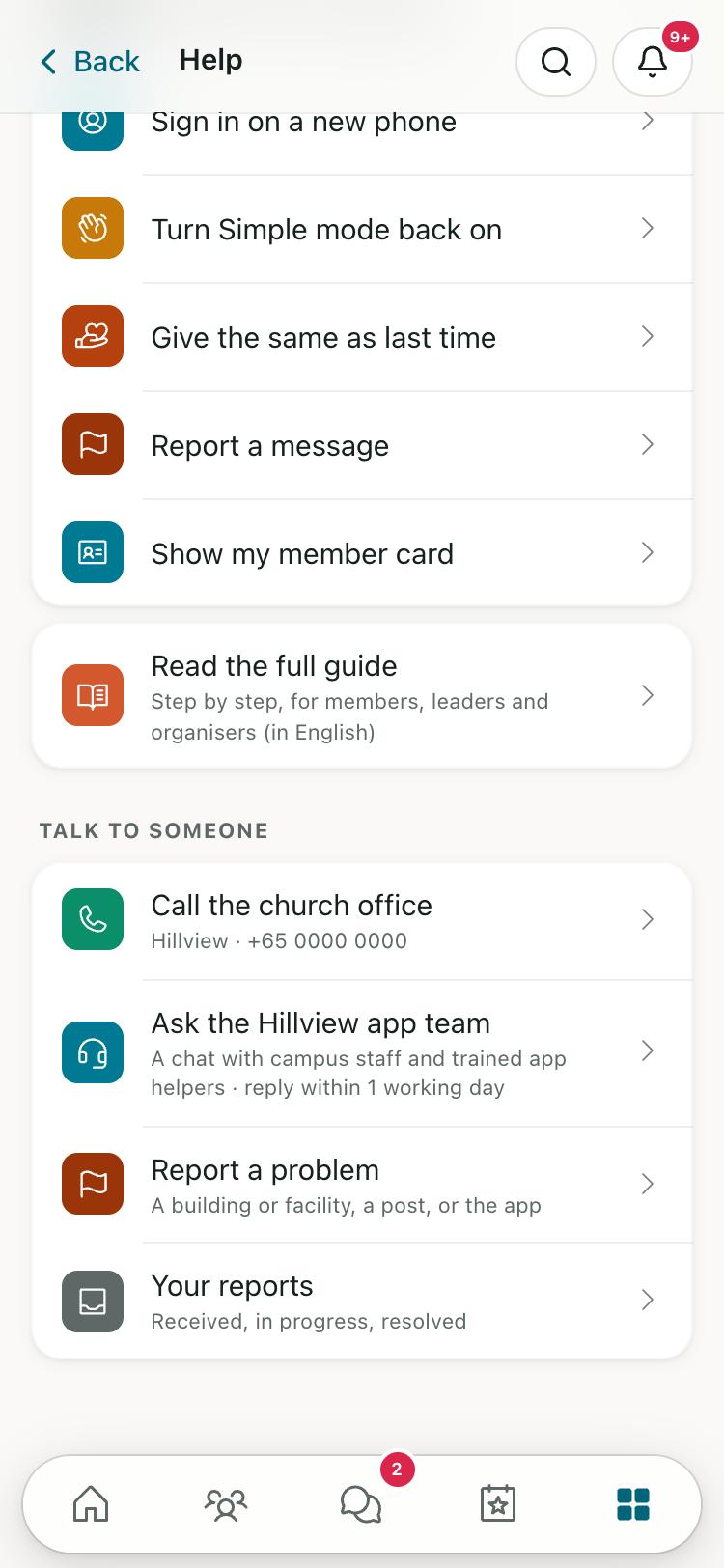
Open Help. On a phone, tap More at the bottom right, then Help (under Settings). On a computer, click your name at the bottom of the menu on the left, then Help.
-
Tap Report a problem. It's under Talk to someone.
-
Choose what kind. A child may be at risk is for when a child or young person may be in danger or being harmed. Someone's behaviour worries me is for when an adult's behaviour worries you; you don't have to name them. Content is a post, sermon, comment or event that looks wrong or harmful. The app is something that doesn't work, crashes or looks broken. Facilities is the building, parking, toilets, lifts or safety at the venue.
-
Add the details. For Facilities, check the place in the first box (yours is already chosen), say Where exactly, and tap Add a photo if it helps. For Content, fill in Which post, sermon or comment with a link or a description. Copy the link from the post, prayer request, event, announcement or talk and paste it: when the line under the box says it found it, your report points at that item, and its moderators see it too. For The app, leave Attach device details ticked to send your browser and screen size: "No messages or personal details."
-
Say what's wrong. Type it in What's wrong. The line above Send says who it goes to, and how soon they usually reply.
-
Tap Send. Your reports opens, with "Sent to" and who has your report.
Report a concern about a child or someone's behaviour
If you're worried that a child or young person may be at risk, choose A child may be at risk in step 3. "You don't have to name anyone. Say what happened, where and when, as far as you know." Type it in What happened and tap Send. It goes straight to your community's safeguarding lead, not to the moderation or app team, day and night, and they're asked to respond within an hour.
If an adult's behaviour worries you, choose Someone's behaviour worries me. It goes to the safeguarding lead too, not to your group's leaders, so it's fine if it's about one of them. They look at it by the next working day. If what you write says a child may be at risk, it's treated as A child may be at risk.
You follow either in Your reports like any other report.
In Your reports, each report shows Received, In progress or Resolved. Until it's resolved, you can tap Add information to tell them more. To find it later, open Help and tap Your reports.
If someone is hurt or in danger now, call your local emergency number first.
If something looks different
It's about someone's message Report the message itself: the form says "About a person's message? Use ⋯ › Report on the message itself." See Report a message.
"Write a line about what's wrong first." What's wrong is empty. Say what's wrong, then tap Send.
"Couldn't send that. Try again in a moment." Your report didn't go. Check your connection and tap Send again.
Was this helpful?
Still stuck? Ask the Belonging team: open Help in the app (on a phone it’s under More; on a computer, click your name at the bottom of the menu) and choose Ask the app team. The answer comes to your email.