Report a listing
This is for communities that use Marketplace. If you can’t find it in your app, your community hasn’t switched it on.
If a listing looks like a scam, isn't allowed, or has the wrong price or photo, report it. Belonging doesn't tell the seller you reported it.
-
Open the listing. Find it on the Marketplace and tap it.
-
Tap Report this listing. It's under the safety note, below the description.
-
Say what's wrong. Under "What’s wrong?", tap Looks like a scam, Not allowed here, Wrong price or photo or Something else.
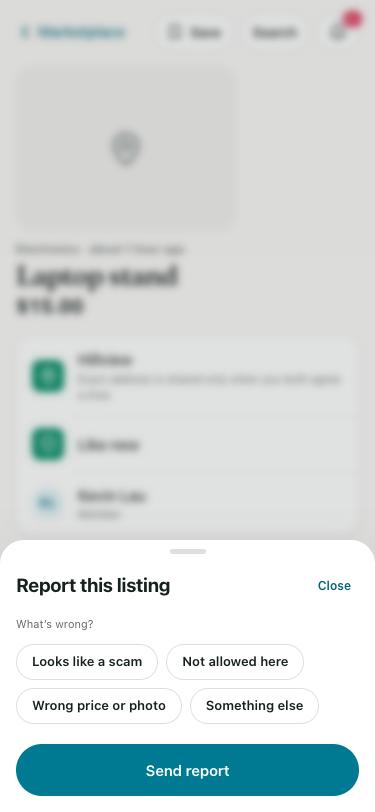
-
Tap Send report. You'll see "Reported. The campus team will check it." Tap Done.
Your report goes to the leaders who look after that part of your community. If three different people report the same listing, it's hidden from the Marketplace automatically.
If something looks different
There's no Report this listing It's your own listing. To take it down, see Mark a listing sold, or edit or remove it.
You reported it twice It counts once.
It isn't under Your reports Marketplace reports aren't listed under Your reports in Help.
Was this helpful?
Still stuck? Ask the Belonging team: open Help in the app (on a phone it’s under More; on a computer, click your name at the bottom of the menu) and choose Ask the app team. The answer comes to your email.