Post in your group
This is for communities that use Spaces. If you can’t find it in your app, your community hasn’t switched it on.
A post stays on the group's page for everyone in it to read, react to and comment on. Use it for news, photos from the week, a question, or a quick poll.
-
Start a post. On a phone, tap Cell; on a computer, click My cell. Under Posts and polls, tap "Share something with" and your group's name. For another group, open it from Groups and tap the same line on its Posts tab.
-
Choose what to share. Tap Text, Photo, Link or Poll.
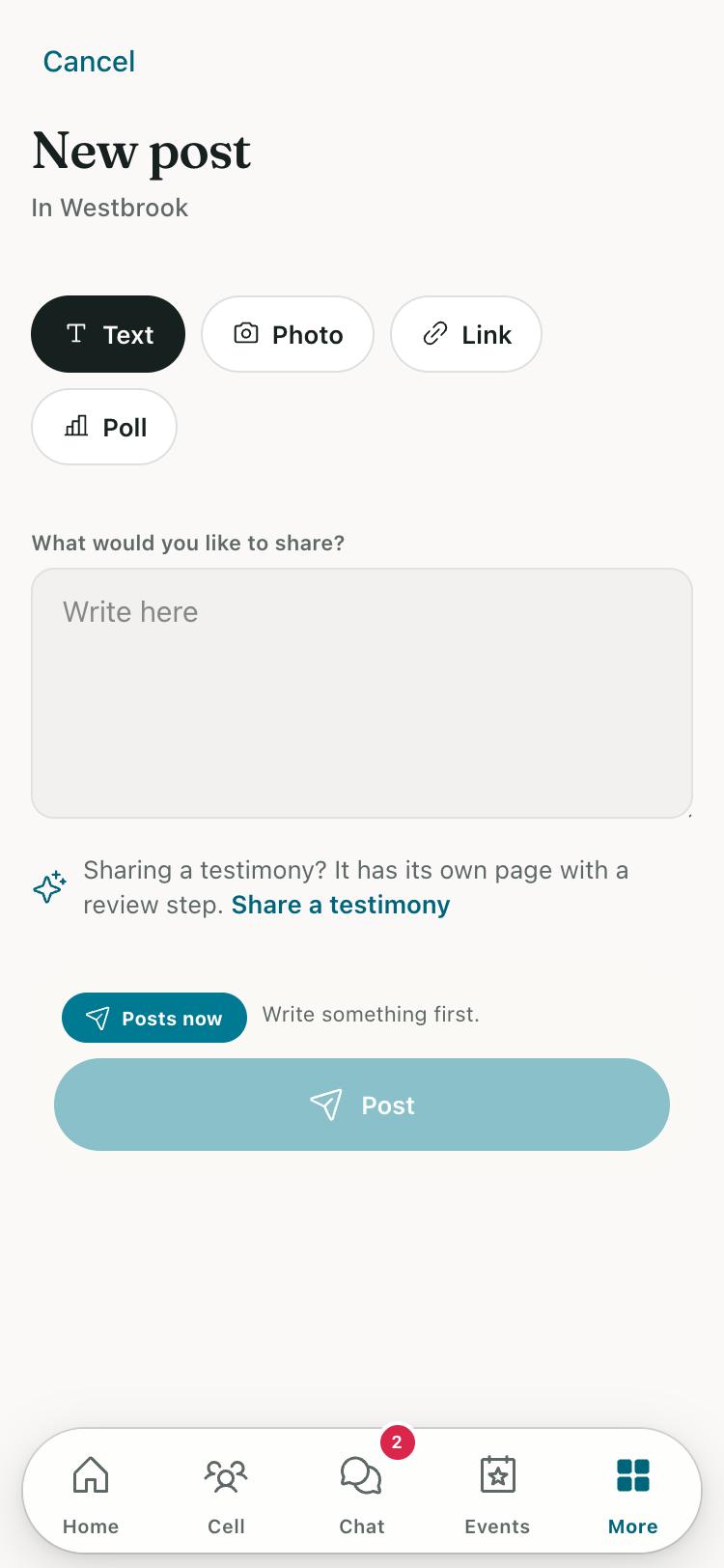
-
Write it.
- Text: type in What would you like to share?
- Photo: tap the camera to choose a photo. Under Describe your photo (helps people who cannot see it), say what's in it. Then answer Does this show anyone under 18? with Yes or No.
- Link: paste the web address in Link, and say why you're sharing it if you like.
- Poll: type a Question and at least two options. Tap Add an option for more. Then choose Allow more than one answer, Who sees who voted, Results and when it Closes.
-
Check where it goes. Above the button, Belonging says what will happen: Posts now, or Needs an OK first if a leader or moderator reads posts in this group before they appear.
-
Send it. Tap Post (or Post poll). If the group checks posts first, the button says "Send to" and the leader's name: tap it, and you'll hear back either way.
Just posted something by mistake? Tap Undo on the message that appears.
If something looks different
"Only the leaders post here. Reply on their posts instead." In this group only its leaders can post. You can still comment on their posts.
"Photos of under-18s stay inside a youth group. Choose a different photo or group." You answered Yes to Does this show anyone under 18? in a group that isn't a youth group. Choose another photo.
"Join this group to post in it." You can read this group but you're not in it yet. See Find and join a group.
"Waiting for approval" or "Sent back" at the top of the group Your post is with a leader, or they've asked you to change it. Tap it to see where it is. If it was sent back, tap Edit and send again.
"Join a group to post" You're not in any group yet. Tap See Groups to find one.
Was this helpful?
Still stuck? Ask the Belonging team: open Help in the app (on a phone it’s under More; on a computer, click your name at the bottom of the menu) and choose Ask the app team. The answer comes to your email.