Search for sermons, events, groups and people
Search looks through your community's sermons, events and groups, and the people you can look up, all at once.
- Tap Search. It's at the top of the screen, next to the bell, on a phone and on a computer.
- Type at least two letters. Part of a title, a speaker, a series, a place or a name. Results appear as you type.
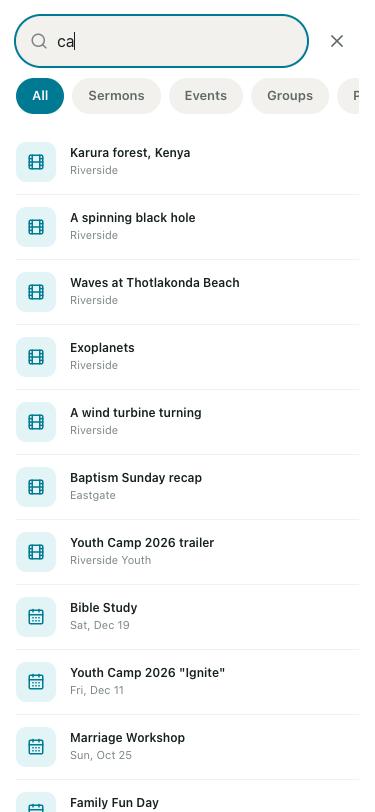
- Narrow it down, if you like. Under the box, tap Sermons, Events, Groups or People to see only those. All shows everything.
- Tap a result. A sermon opens in Watch & listen, an event or a group opens its page, and a person opens their profile. People shows up to eight people who match.
If your community uses Kids check-in, typing "kids" or "children" also shows a Kids check-in shortcut at the top.
To close Search, tap the cross next to the box (or press Esc on a computer).
If something looks different
"Type at least two letters." Search starts once there are two letters in the box.
"Nothing found for" and your words Nothing matched. Try fewer letters, or another word. Search doesn't look through prayer requests, announcements, chats, jobs, the Marketplace or courses: open those from More instead.
There's no Sermons, Events, Groups or People button Your community doesn't use that part of Belonging, or (for People) doesn't let members look each other up.
There's no Search at the top On the You page, the top bar has Give, the gear and + instead. Go to any other page, such as Home.
Was this helpful?
Still stuck? Ask the Belonging team: open Help in the app (on a phone it’s under More; on a computer, click your name at the bottom of the menu) and choose Ask the app team. The answer comes to your email.