Hand over while you're away
Going away? Pick the days and ask another leader to cover. Once they accept, what would come to you goes to them instead, and it all comes back to you when you return. Your co-leader isn't part of the handover: they keep co-leading beside whoever covers.
-
Open Away & cover. On Lead, choose Away & cover ("Hand over while you’re away").
-
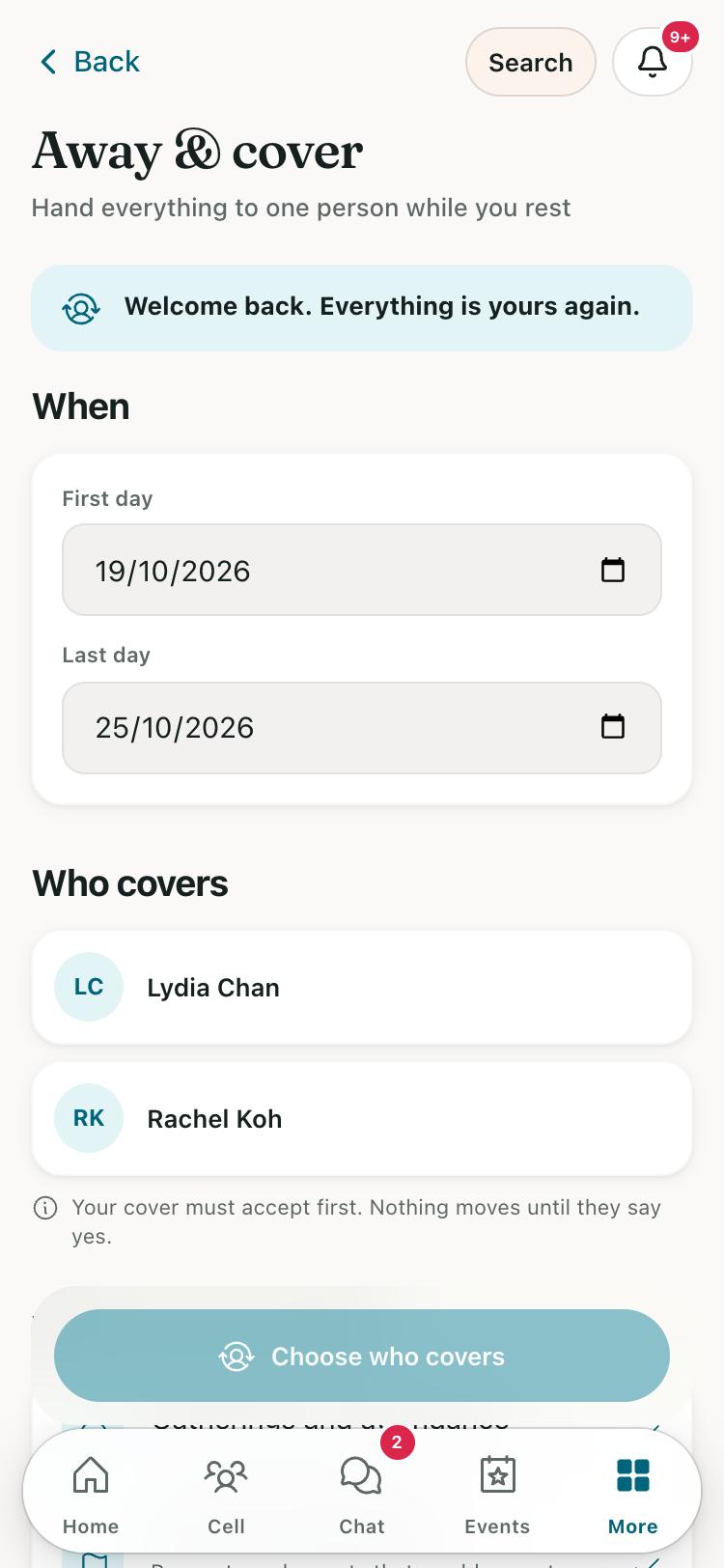
Choose the days. Under When, set the First day and the Last day. A cover can last up to 90 days.
-
Choose who covers. Under Who covers, pick a leader from the list. Your co-leader isn't in it, because they already have a leader's tools for your group and carry on as they are.
-
Check what they get. The list shows what moves to them: Gatherings and attendance, Reports and approvals, Follow-ups and Pulse, and Your people and groups. While you're away, you won't see these groups.
-
Ask them. Choose the button that says "Ask" with their name, for example "Ask Mei Lin to cover". Nothing moves until they say yes. Until then the page says "Waiting for Mei Lin to accept", and you can choose Cancel request.
Once they accept, the cover starts on the first day. While it's on, the page says "You’re away" with your dates.
Come back early
On Away & cover, choose I’m back early. Everything is yours again straight away.
When someone asks you to cover
For you now on Lead shows a row such as "Mei Lin asked you to cover", with the dates. Choose Review, then Accept or Not now. While you're covering, Stop covering hands it back.
If something looks different
"No one is available to cover yet." A cover must be an adult leader in your network, other than your own co-leader. Ask your community's organisers.
A leader you expected isn't in the list. A cover must be a confirmed adult. If someone has no date of birth on file, the app says so; ask your community's organisers to add it. Your own co-leader is never in the list: they carry on beside your cover.
"You already have a cover arranged. End it first." Cancel or end the cover you have before asking someone else.
There's no Away & cover on Lead. It shows for the leader of a group, and for anyone covering or asked to cover. A co-leader doesn't hand over a group: its leader does.
Was this helpful?
Still stuck? Ask the Belonging team: open Help in the app (on a phone it’s under More; on a computer, click your name at the bottom of the menu) and choose Ask the app team. The answer comes to your email.