See what's on this week
This is for communities that use Events & RSVPs. If you can’t find it in your app, your community hasn’t switched it on.
Events lists everything coming up that is open to you, with the ones you're going to near the top. Here is how to see just this week.
- Open Events. On a phone, tap More in the bar at the bottom, then Events (some communities keep Events
in the bar itself). On a computer, click Events in the menu on the left.
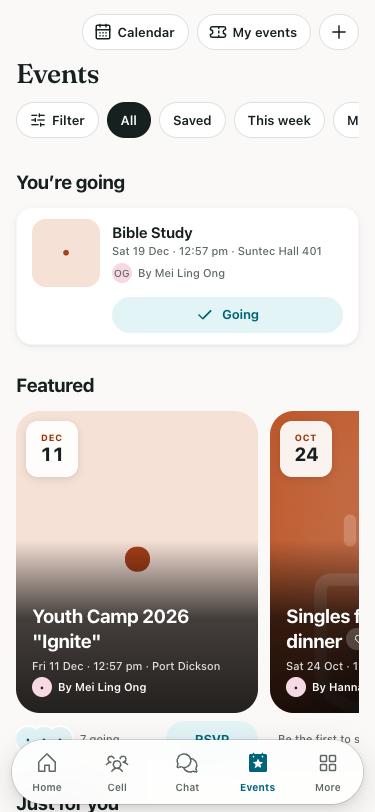
- Tap This week. The list shows only events starting in the next seven days, with a count above them. Tap All to see everything again.
- Or open the calendar. Tap Calendar at the top. Days with something on have a dot under them. Tap a day to see what's on from that day onwards, and use the arrows to move a month at a time.
- See your group's week. On a phone, tap Cell. On a computer, click My cell. The This week tab shows your group's next meeting, prayer requests and recent posts.
Events you've said you're going to are listed under You're going. For the full list, tap My events at the top of Events.
If something looks different
"No upcoming events" Nothing is planned for you yet. New events appear here as soon as they're published.
"Nothing matches" No event fits the filters you chose. Tap See all events to clear them.
"Nothing else coming up" The calendar has nothing from the day you picked to the end of that month. Pick a later day or month.
Was this helpful?
Still stuck? Ask the Belonging team: open Help in the app (on a phone it’s under More; on a computer, click your name at the bottom of the menu) and choose Ask the app team. The answer comes to your email.