Respond to this week's introductions
This is for communities that use Connections. If you can’t find it in your app, your community hasn’t switched it on.
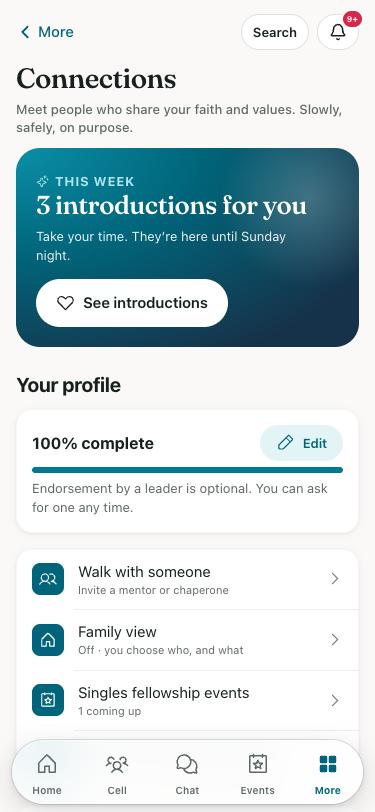
Each Monday, Connections introduces you to up to three people, chosen for the values you share. They stay for the rest of the week, so take your time.
-
Open your introductions. Open Connections. Under This week, tap See introductions.
-
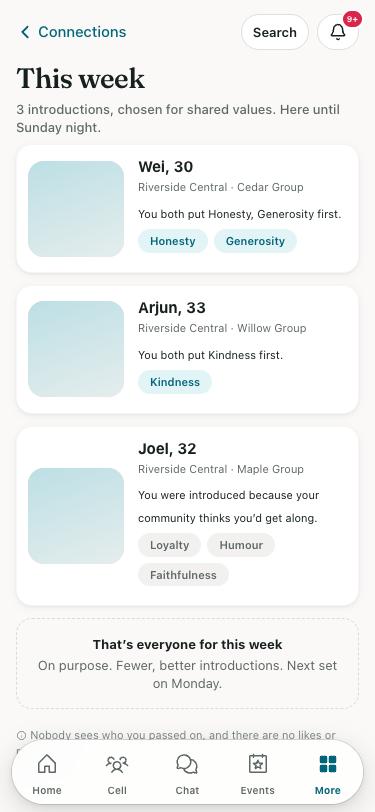
Look at each person. A card shows their first name, age, branch and group, why you were introduced (for example "You both put Honesty, Family first.") and the values you share. Tap the card to read their profile: their faith journey, values, life goals, family vision and prompt answers.
-
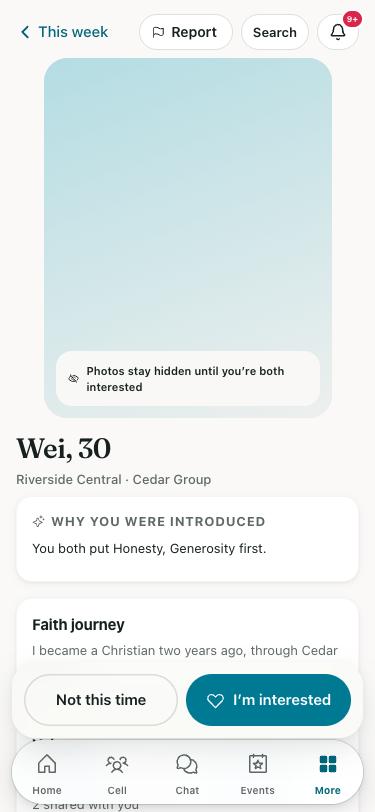
If you'd like to meet them, tap I'm interested. Then tap Yes, I'm interested. If they've already said yes to you, "You're both interested" opens straight away. If not, their card says You're interested · waiting.
-
If not, tap Not this time. Tapped it by mistake? Tap Undo straight away, or open their profile later and tap Undo "not this time".
To change your mind after saying you're interested, open their profile and tap Take back my interest. You can do this until you're both interested.
When you've both said yes, see Say hello when you're both interested.
What they're told
- I'm interested: Connections tells them only if they're interested in you too. Then you both know.
- Not this time: never shown to them.
- Take back my interest: "Interest taken back. They were never told."
Nobody is introduced to you twice, whatever you answer.
If something looks different
"You're all caught up" or "No introductions yet" There's nobody new for you this week. New introductions come on Mondays. Connections only introduces people it's open to, who have a profile that's at least 60% complete, and who haven't paused.
"Finish your profile to meet people" Introductions start once your profile is at least 60% complete. Tap Finish my profile. See Build your Connections profile.
"You've paused Connections. These stay until Sunday." You've paused, so no new introductions come. See Pause or leave Connections.
"This person isn't available any more." They've paused or left Connections, one of you has blocked the other, or Connections isn't open to them any more.
"You're both interested, so this can't be taken back. You can block or report instead." Once it's mutual, you can't take it back or say "Not this time". If something's wrong, see Report or block someone in Connections.
"That didn't go through. Try again in a moment." Your answer wasn't saved. Check your connection and tap the button again.
Was this helpful?
Still stuck? Ask the Belonging team: open Help in the app (on a phone it’s under More; on a computer, click your name at the bottom of the menu) and choose Ask the app team. The answer comes to your email.