Set up your group's regular gathering
This is for communities that use Gatherings & attendance. If you can’t find it in your app, your community hasn’t switched it on.
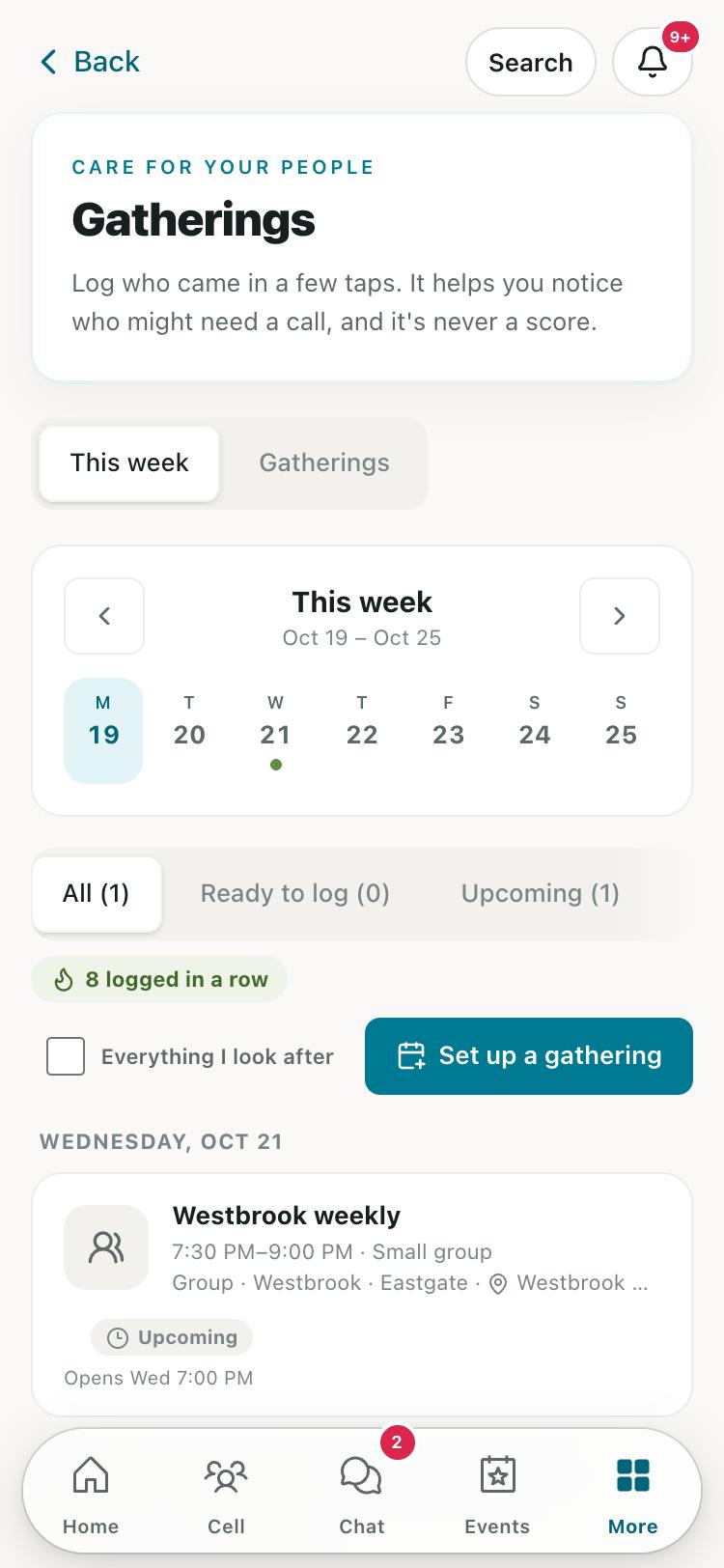
Set up your group's regular gathering once, and each meeting then appears under This week, ready to log. It's also what puts your next meeting on your Lead page.
-
Open Gatherings. On Lead, choose Gatherings, then Set up a gathering.
-
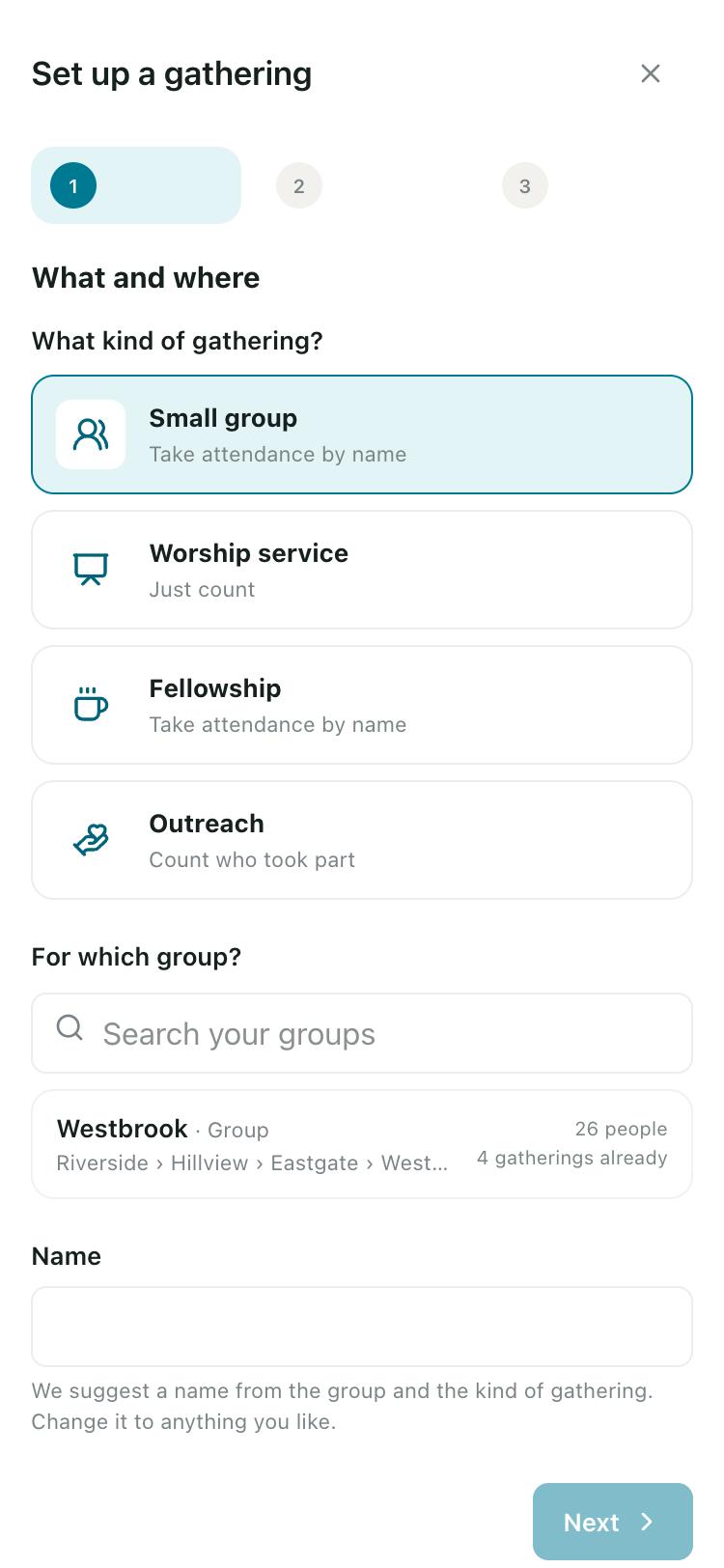
Say what and for whom. Under What kind of gathering?, pick one of the kinds your community uses. Under For which group?, find your group in Search your groups and select it. The Name is filled in for you; change it if you like. Choose Next.
-
Say when. Under How often?, choose Weekly, Fortnightly, Monthly or On chosen dates. Pick the days, the Start time, the Length and the date it's Starting. Add Where it meets. The box at the bottom shows the Next dates so you can check them. Choose Next.
-
Say how it's recorded. Choose what to count, such as Count guests who aren't members and Count first-timers. Leave Gentle reminders to log on if you'd like a quiet nudge when nobody has logged a meeting. Switch on Allow QR self-check-in if people should be able to check in with their pass.
-
Save it. Choose Set up gathering.
Your group's leader, the leaders above them and anyone who manages gatherings can take attendance for it. You can add helpers after saving.
Change it later
In Gatherings, open the Gatherings tab and choose Edit on your gathering. Save with Save changes. Helpers lets you add people who can take attendance, and Pause puts it on hold until you choose Resume.
If something looks different
There's no Set up a gathering button. Only leaders who manage gatherings for a group can set one up. Ask your community's organisers.
"No groups found in the part you look after." You can only set up gatherings for groups you lead or that are below you.
"This group has … people, more than the … a list by name can hold. Choose “Just count” instead." Large groups are counted rather than marked by name. Choose Just count under How will you record it?, or pick another kind of gathering if that choice isn't there.
Was this helpful?
Still stuck? Ask the Belonging team: open Help in the app (on a phone it’s under More; on a computer, click your name at the bottom of the menu) and choose Ask the app team. The answer comes to your email.