Correct a gathering's attendance
This is for communities that use Gatherings & attendance. If you can’t find it in your app, your community hasn’t switched it on.
Marked someone away who was there, or forgot a visitor? You can open a gathering you've already logged, change it and save again, for a while after the gathering. To log a gathering for the first time, see Take attendance at your group's gathering.
-
Open Gatherings. On Lead, choose Gatherings. You land on This week.
-
Find the gathering. Choose Logged to see only the gatherings you've saved. For an earlier week, use the arrows either side of the week's dates.
-
Open it. Choose Review on the gathering.
-
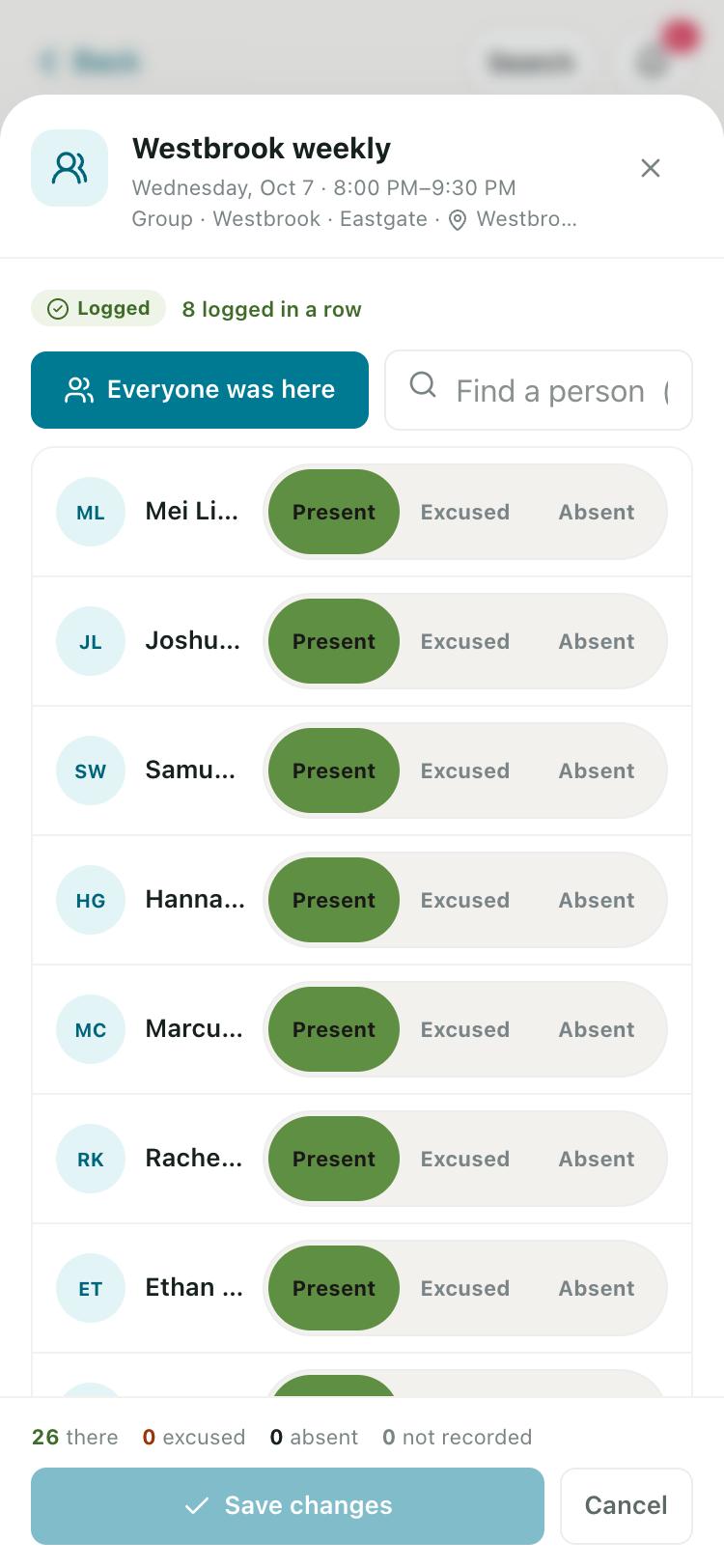
Make your changes. Set each person to Present, Excused or Absent. To add someone from another group, choose Add a visitor from the community and type their name.
-
Save. Choose Save changes. A message confirms it's saved. Choose Undo on that message if you change your mind straight away.
If you marked "We didn't meet" by mistake
- Open the gathering. In Gatherings, choose Details on the gathering that shows Didn't meet.
- Bring it back. Choose It did meet after all, then mark who came and save.
If you've only just marked it on Lead, choose Take attendance instead on the same screen.
If something looks different
"The window to change this has closed. What's the reason for this correction?" Gatherings can only be changed for a while after they happen: two weeks, unless your community set a different time. After that, saving says "The window to record this gathering has closed. A community admin can still correct it." Ask one of your community's organisers.
"Someone else updated this" Another leader saved the gathering while you were changing it. Choose Review the latest: your changes are put on top of theirs, so you can check and save again.
"You can see this gathering, but marking it is up to its group's leaders." You can look at this gathering but not change it. Ask the group's leader.
There's no Review button. A gathering you haven't logged yet shows Log attendance instead. If there's no button at all, the gathering hasn't started yet, or it isn't yours to mark.
Was this helpful?
Still stuck? Ask the Belonging team: open Help in the app (on a phone it’s under More; on a computer, click your name at the bottom of the menu) and choose Ask the app team. The answer comes to your email.