Read your group's Pulse
This is for communities that use Pulse. If you can’t find it in your app, your community hasn’t switched it on.
Pulse is a weekly picture of how the part of your community you lead is doing. It's built from gatherings and activity, never from what people write, and nobody is scored.
-
Open Pulse. On Lead, choose Pulse ("How your people are doing"). On a computer you can also choose Network pulse in the sidebar under Pulse. On a phone, it's under Pulse on the More page.
-
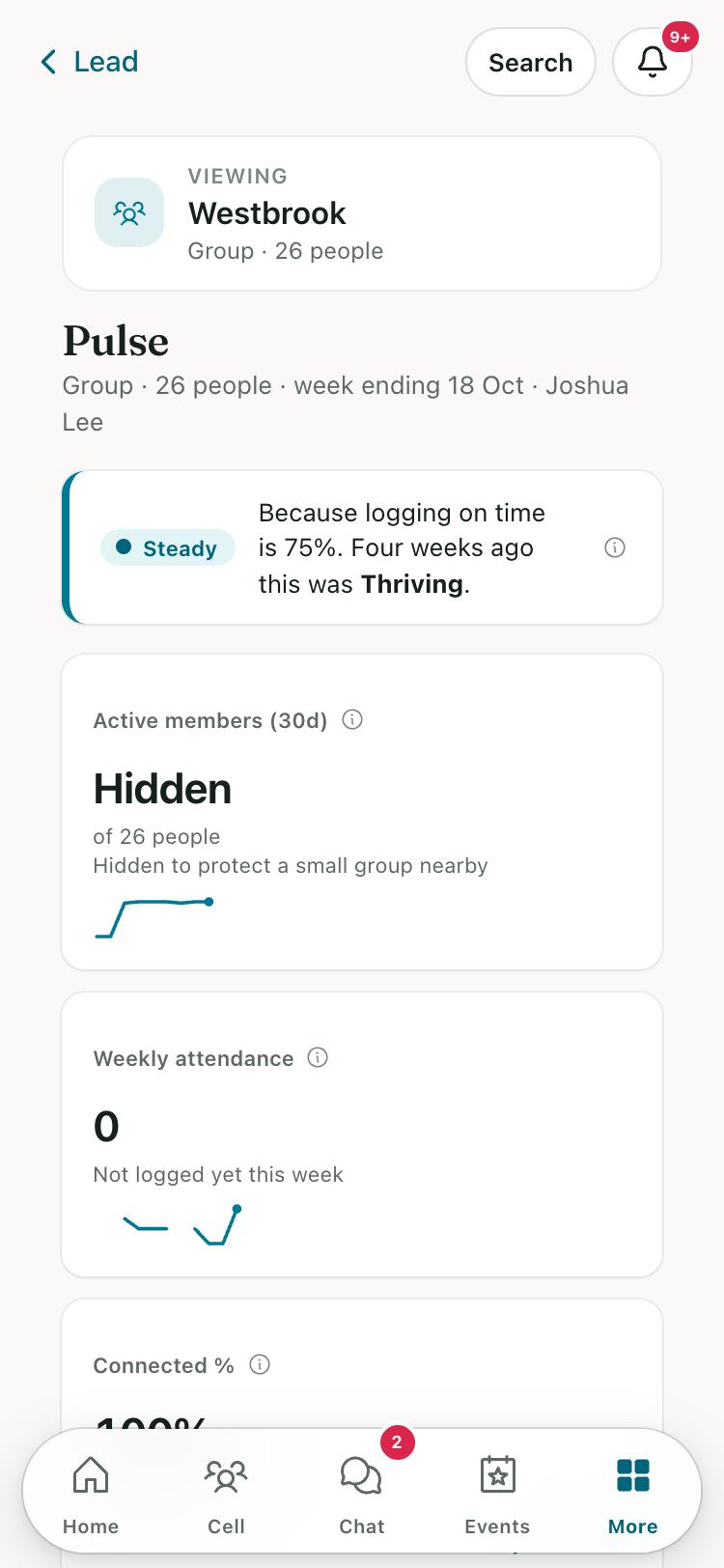
Read the top line. Under the title Pulse, a line gives the level, how many people, and the week it covers. Below it, a status says how your group is doing: Thriving, Steady, Needs care, At risk or Not tracked yet, with a sentence on why.
-
Look at the figures. Each tile is one measure, such as Weekly attendance, Active members (30d) or Connected %, with how it has changed. Select the small i next to a figure to see exactly what it counts, then Got it.
-
Follow the trend. In the chart, choose Attendance, Active or Connected %, and Week, Month or Quarter. Open View as table to read the numbers.
-
See who might need care. For your own group, the section headed "Roster" and your group's name lists your people with their care signals, such as "Missed 3 of the last 4", "New and not yet connected", "Asked for prayer" or "Birthday this week". Tick Only people with a care signal to shorten the list. Select a name to see more.
If you lead more than one group
Instead of a roster, Pulse lists the groups below you with their status. Select a group to open its own Pulse, and use the trail of names at the top to go back up.
If something looks different
"Pulse is getting ready" Your community's first weekly picture is still being built. This usually takes a few minutes. Choose Try again.
A tile says "Not tracked yet". There's nothing to measure yet, and the tile says why. For example, "No group here logs who came yet, so connection can’t be measured."
"Not part of your role" This part of Pulse is for leaders and administrators. Ask your community's organisers if you need it.
There's no Pulse on Lead. Your community may have switched Pulse off.
Was this helpful?
Still stuck? Ask the Belonging team: open Help in the app (on a phone it’s under More; on a computer, click your name at the bottom of the menu) and choose Ask the app team. The answer comes to your email.